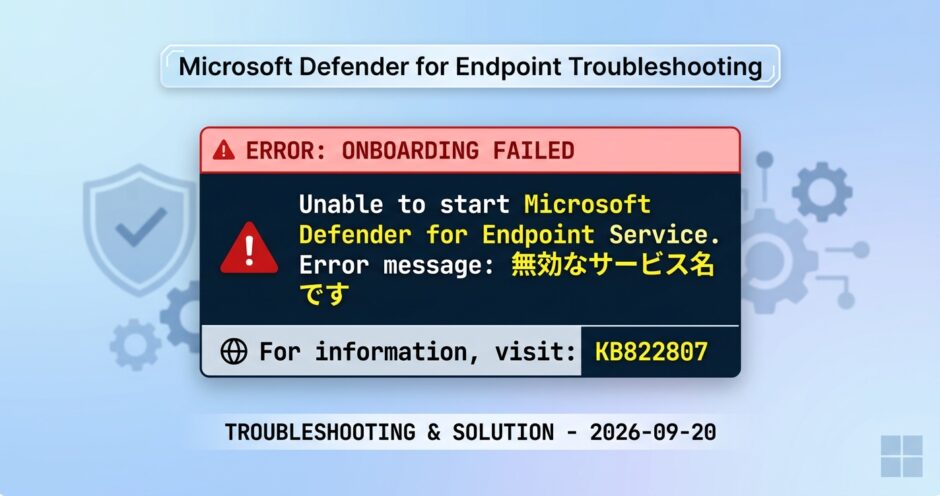
Windows 11 に Defender for Endpoint Plan2 をオンボードしようとローカルスクリプト実行するが以下のメッセージで失敗する状況のトラブルシューティングです(問題も解決)。
”Unable to start Microsoft Defender for Endpoint Service. Error message: 無効なサービス名 です。”
最終的には KB822807 (https://go.microsoft.com/fwlink/p/?linkid=822807) の案内どおりに3つある解決策を実行していき、問題解決できました。 インターネットの情報では Home から Pro にアップグレードしたときに起きることがある模様(今回、自宅PCの1台をHome から Proにアップグレードに Defender for Endpointを導入)。 レアケースだとは思いますが記録として残します。
実施した状況としては
- Windows 11 home の環境を Windows 11 Pro へアップグレード
- Windows 11 Pro へ Defender for Endpoint のオンボード用のローカルスクリプト(WindowsDefenderATPLocalOnboardingScript.cmd)を実行
- スクリプトが完了しない ←イマココ
OS再起動、シャットダウンは何度か実施しても再現性あり。 もちろん、管理者権限でコマンドプロンプトは起動し、Defender ポータルからダウンロードしたスクリプト”WindowsDefenderATPLocalOnboardingScript.cmd”を実行するとエラーで進まない。
> WindowsDefenderATPLocalOnboardingScript.cmd
This script is for onboarding machines to the Microsoft Defender for Endpoint services, including security and compliance products.
Once completed, the machine should light up in the portal within 5-30 minutes, depending on this machine's Internet connectivity availability and machine power state (plugged in vs. battery powered).
IMPORTANT: This script is optimized for onboarding a single machine and should not be used for large scale deployment.
For more information on large scale deployment, please consult the MDE documentation (links available in the MDE portal under the endpoint onboarding section).

Press (Y) to confirm and continue or (N) to cancel and exit: Y

Starting Microsoft Defender for Endpoint onboarding process...

Testing administrator privileges
Script is running with sufficient privileges

Performing onboarding operations

Starting the service, if not already running

Microsoft Defender for Endpoint Service has not started yet
Waiting for the service to start

[Error Id: 15, Error Level: 1] Unable to start Microsoft Defender for Endpoint Service. Error message: 無効なサービス名 です。
For more information, visit: https://go.microsoft.com/fwlink/p/?linkid=822807

続行するには何かキーを押してください . . .
まずは案内されている KB822807 (https://go.microsoft.com/fwlink/p/?linkid=822807) を確認していく。
Error Id ごとのトラブルシューティングのマトリックスがある。 以下、今回の Id:15の3つを抜粋して紹介。
| イベント ID | エラーの種類 | 解決手順 |
|---|---|---|
15 | SENSE サービスを開始できませんでした | サービスの正常性を確認します (sc query sense コマンド)。 中間状態 (‘Pending_Stopped’, ‘Pending_Running‘ ではないことを確認し、(管理者権限で) スクリプトをもう一度実行してみてください。デバイスがWindows 10実行されていて、バージョン 1607 でコマンドを実行sc query senseSTART_PENDINGが返される場合は、デバイスを再起動します。 デバイスを再起動しても問題が解決しない場合は、KB4015217にアップグレードして、オンボードをもう一度試してください。 |
15 | SENSE サービスを開始できませんでした | エラーのメッセージがシステム エラー 577 またはエラー 1058 が発生した場合は、Microsoft Defenderウイルス対策 ELAM ドライバーを有効にする必要があります。手順については、「Microsoft Defenderウイルス対策がポリシーによって無効にされていないことを確認する」を参照してください。 |
| 15 | SENSE サービスを開始できませんでした | SENSE 機能オンデマンド (FoD) がインストールされていない可能性があります。 インストールされているかどうかを判断するには、管理 CMD/PowerShell プロンプトから次のコマンドを入力します。DISM.EXE /Online /Get-CapabilityInfo /CapabilityName:Microsoft.Windows.Sense.Client~~~~エラーが返された場合、または状態が “インストール済み” でない場合は、SENSE FoD をインストールする必要があります。 インストール手順については、「オンデマンドで使用可能な機能: SENSE Client for Microsoft Defender for Endpoint」を参照してください。 |
3つの解決策を上から順番に試していく。
1つ目は”sc query sense”でサービスの有無を確認。 結果は該当せず。 1つ目の解決策はステータスがPendingの時の対策の案内で、今回はサービスとして存在しない、とのことで次の解決策へ。
>sc query sense
[SC] EnumQueryServicesStatus:OpenService FAILED 1060:

指定されたサービスはインストールされたサービスとして存在しません。
2つ目は”システム エラー 577 またはエラー 1058 が発生した場合は、”とのことだけど、FAIL 1060 なので非該当。 次の解決策へ
3つ目はインストールされていない可能性があるとのことで、インストールしてください、という解決策。これを実施する。
案内のある”DISM.EXE /Online /Get-CapabilityInfo /CapabilityName:Microsoft.Windows.Sense.Client~~~~“を実行する。
数秒で処理は終わり、”操作は正常に完了しました”。 再度Defeder for Endpointのローカルスクリプトを実行へ。
>DISM.EXE /Online /Get-CapabilityInfo /CapabilityName:Microsoft.Windows.Sense.Client~~~~

展開イメージのサービスと管理ツール
バージョン: 10.0.26100.8972

イメージのバージョン: 10.0.26200.9457

機能 ID : Microsoft.Windows.Sense.Client~~~~
名前 : Microsoft.Windows.Sense.Client
状態 : インストールの保留中
表示名 : Microsoft Defender for Endpoint SenseClient
説明 : SenseClient for MDE
ダウンロード サイズ :  0 bytes
インストール サイズ : 345.20 MB

操作は正常に完了しました。
Defeder for Endpointのローカルスクリプトを実行する。
状況は変わらず、再現する。 一度、OSを再起動する。 なお、この時点では “sc query sense”ではサービスは見つからない、のままであることも確認。
>WindowsDefenderATPLocalOnboardingScript.cmd
This script is for onboarding machines to the Microsoft Defender for Endpoint services, including security and compliance products.
Once completed, the machine should light up in the portal within 5-30 minutes, depending on this machine's Internet connectivity availability and machine power state (plugged in vs. battery powered).
IMPORTANT: This script is optimized for onboarding a single machine and should not be used for large scale deployment.
For more information on large scale deployment, please consult the MDE documentation (links available in the MDE portal under the endpoint onboarding section).

Press (Y) to confirm and continue or (N) to cancel and exit: Y

Starting Microsoft Defender for Endpoint onboarding process...

Testing administrator privileges
Script is running with sufficient privileges

Performing onboarding operations

Starting the service, if not already running

Microsoft Defender for Endpoint Service has not started yet
Waiting for the service to start

[Error Id: 15, Error Level: 1] Unable to start Microsoft Defender for Endpoint Service. Error message: 無効なサービス名 です。
For more information, visit: https://go.microsoft.com/fwlink/p/?linkid=822807

続行するには何かキーを押してください . . .
Windows 11を再起動後、再度、senseの状態を確認する。 再起動後は、STATEは STOPPEDであるがsense サービスが存在する状態に変わったことを確認。
>sc query sense

SERVICE_NAME: sense
        TYPE               : 10  WIN32_OWN_PROCESS
        STATE              : 1  STOPPED
        WIN32_EXIT_CODE    : 1077  (0x435)
        SERVICE_EXIT_CODE  : 0  (0x0)
        CHECKPOINT         : 0x0
        WAIT_HINT          : 0x0
Defeder for Endpointのローカルスクリプトを実行する。
”Successfully onboarded machine to Microsoft Defender for Endpoint”と成功したことを確認
>WindowsDefenderATPLocalOnboardingScript.cmd
This script is for onboarding machines to the Microsoft Defender for Endpoint services, including security and compliance products.
Once completed, the machine should light up in the portal within 5-30 minutes, depending on this machine's Internet connectivity availability and machine power state (plugged in vs. battery powered).
IMPORTANT: This script is optimized for onboarding a single machine and should not be used for large scale deployment.
For more information on large scale deployment, please consult the MDE documentation (links available in the MDE portal under the endpoint onboarding section).

Press (Y) to confirm and continue or (N) to cancel and exit: Y

Starting Microsoft Defender for Endpoint onboarding process...

Testing administrator privileges
Script is running with sufficient privileges

Performing onboarding operations

Starting the service, if not already running

Finished performing onboarding operations

Waiting for the service to start

Successfully onboarded machine to Microsoft Defender for Endpoint

続行するには何かキーを押してください . . .
Defender の管理画面(https://security.microsoft.com/)からアセット > デバイス に今回のWindows 11 がオンボードされたことを確認し、これで問題解決。
以上